



New access points, edge switches and enhanced network management provide high-speed WiFi and better service in business areas with high density of mobile users and IoT devices. At a glance:
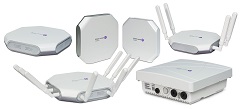
– New Alcatel-Lucent OmniAccess(R) Stellar access points with latest 802.11ac wave 2 technology provide simplicity, performance, analytics and IoT readiness with an excellent user-centric experience
– New Alcatel-Lucent OmniSwitch(R) stackable LAN switch family with Multigigabit and technology provides increased bandwidth for new generation APs, while high-power PoE supports the most demanding IoT devices
– Newest release of Alcatel-Lucent OmniVista(R) 2500 NMS offers unified network management of LAN and WLAN, with smart analytics to monitor and manage application utilization and drive better strategic business decisions
SINGAPORE — ALE, operating under the Alcatel-Lucent Enterprise brand, today introduced new products enhancing its solutions for the mobile campus. New access points, edge switches and network management capabilities create an optimized network infrastructure to accommodate the digital transformation of businesses, including next-generation mobility services and Internet of Things (IoT).
Highlighting WiFi Solution
The showcase of the expanded Alcatel-Lucent Enterprise Mobile Campus solution family is the new Alcatel-Lucent OmniAccess Stellar WLAN family of products. Stellar access points use a controller-less architecture with distributed control intelligence providing more reliability, better scalability and reduced cost. It delivers a high-quality user experience leveraging the 802.11ac Wave 2 technology, for indoor and outdoor usages, with resiliency and security. Furthermore, it includes integrated guest management and built-in DPI which can be leveraged for smart analytics and to help better support Internet of Things devices such as surveillance cameras, traffic lights and more.
OmniAccess Stellar is offered in two modes:
– WiFi Express: Scales up to 64 APs and operates in a simplified cluster architecture, providing plug-and-play deployments and mostly used for SMB.
– WiFi Enterprise: For networks with high scalability, operates in a controller-less architecture. Requires OmniVista 2500 NMS to provide multiple advanced network services including comprehensive guest management, BYOD, IoT containment, Apple/ DLNA device support and detailed analytics.
Stackable Access Switches
The most recent addition to the access switch family is the OmniSwitch 6560 with Multigigabit 2.5Gbps access ports to enable high-speed WiFi and high PoE ports to power IoT devices. Additional 10Gbps uplink ports and 20G stacking ports offer the option to address the expected growing demand in terms of network traffic.
Network Management – Smart Analytics
Alcatel-Lucent OmniVista 2500 Network Management provides businesses smart monitoring and control for users, devices and applications, which can empower companies to create a simple and effective unified management resource and support better strategic decisions. OmniVista not only manages OmniAccess Stellar WLAN infrastructure but it also offers a unified configuration and policy management for both the LAN and WLAN. It avoids duplication of tasks, keeps policies consistent on the entire network infrastructure and simplifies IT operations. In addition, OmniVista provides application analytics dashboards that give all relevant information regarding the network usage, ensuring the alignment of investments with the business’ strategy.